
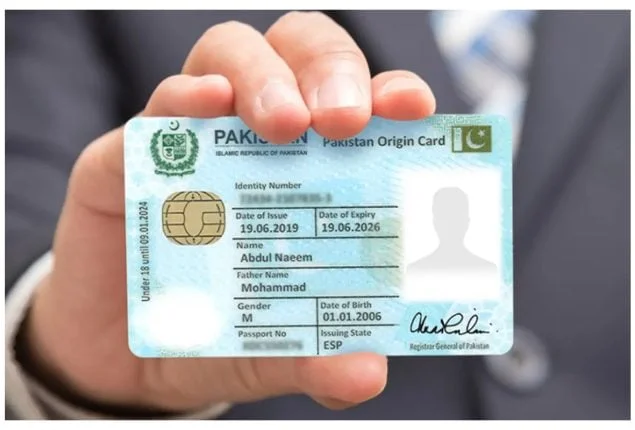
A property dealer from Lahore contacted me in February 2026 with a problem that had been costing him money for months. He regularly receives calls from unknown numbers making inquiries about properties. Some of these callers claim to be serious buyers but turn out to be time wasters or fraudsters. He wanted to check CNIC details by number — meaning he wanted to verify the identity behind any mobile number before investing time and trust into a business relationship.
His question is one of the most searched on the internet in Pakistan. Every day, hundreds of thousands of Pakistanis search for ways to find CNIC details using a phone number, or find phone number details using a CNIC. The need is genuine, completely understandable, and arises from a very real problem — Pakistan has a serious issue with fraud, identity misuse, and unauthorized SIM registrations that affect ordinary citizens daily.
This guide explains exactly what CNIC details by number means, what information is legally accessible, what is protected by law, and every official free method available in Pakistan in 2026 to check SIM owner details by CNIC number — step by step.
What Does “CNIC Details by Number” Actually Mean?
The phrase “CNIC details by number” is used in two different ways by people searching for it in Pakistan, and understanding the difference is critical before attempting any verification.
Meaning 1 — Finding SIM details using a CNIC number. This means entering a CNIC number and seeing which mobile numbers (SIM cards) are registered under that identity. This is fully legal and officially supported by PTA through the SMS 668 method and the PTA online portal.
Meaning 2 — Finding CNIC details using a mobile number. This means entering a mobile number and seeing the full CNIC information of whoever owns that SIM. This is what most people are actually looking for — and this is where Pakistani law draws a very firm line.
Full CNIC details of other people cannot be accessed by the public through any official channel. PTA’s database does not expose complete CNIC numbers of individual subscribers to public queries. The only partial information available through official methods is a masked CNIC — meaning the last 5 digits are hidden — which is returned when you send MNP to 667 for a SIM physically in your possession.
Understanding this distinction will save you from wasting time on methods that promise the impossible, and more importantly, from falling into dangerous unofficial database traps that steal your data while delivering fake results.
What CNIC-Related Details You Can Legally Access in Pakistan
Let me be completely direct about what is and is not possible through official channels in 2026.
What you CAN legally check using a CNIC number: All SIM cards registered on that CNIC across all five networks — available free through SMS 668. The total count of active, inactive, and blocked SIMs per operator for any CNIC. Whether a specific CNIC is currently exceeding PTA’s permitted SIM registration limits. Your own complete SIM registration details including activation dates, biometric status, and operator information.
What you CAN legally check using a mobile number: The registered owner’s name and partially masked CNIC (last 5 digits hidden) of any SIM physically inserted in your phone — available free through MNP to 667. The network operator of any Pakistani number — identifiable instantly from the number’s prefix. Whether a specific number is currently active or inactive — confirmable through operator helplines. Basic registration status of numbers on specific networks through official operator apps.
What is protected by law and NOT accessible publicly: Complete CNIC numbers of other people’s SIM registrations. Home addresses, personal details, or location information of any subscriber. Call records, message history, or usage data of any number. Full identity details of an unknown caller who has not consented to share their information.
Attempting to access the protected information above through unofficial sources is a criminal offence under PECA 2016 carrying penalties of up to 3 years imprisonment and fines of Rs. 1,000,000.
Method 1 — Check All Mobile Numbers Registered on a CNIC (SMS 668)
This is the most direct and powerful method for checking what mobile numbers are linked to a specific CNIC number in Pakistan. It works instantly, costs nothing, and requires no internet connection.
Step 1: Open the SMS messaging app on any phone. Works on all networks — Jazz, Zong, Telenor, Ufone, and SCO. Works on basic feature phones and smartphones alike.
Step 2: Type the 13-digit CNIC number you want to check without any dashes or spaces. For example: 3520112345678
Step 3: Send this SMS to 668.
Step 4: Within 30 seconds you receive a complete reply showing the total number of SIM cards registered on that CNIC and the exact count for each network operator separately.
What the result tells you: If you are checking your own CNIC and see more SIMs than you personally own — even one extra — unauthorized registration has occurred and you need to take action immediately. If the count matches exactly what you own and use, your CNIC is clean and properly managed.
This method is the official PTA system and provides genuinely current data. Every time a SIM is registered, transferred, or blocked in Pakistan, the 668 database updates in real time. You are always seeing today’s accurate picture, not historical data.
Method 2 — Check Owner Details of Any Mobile Number (MNP to 667)
This is the official method for checking partial CNIC and owner details linked to a specific mobile number. It works for any SIM card that is physically inserted in your phone at the time of the query.
Step 1: Insert the SIM whose CNIC details you want to check into your phone.
Step 2: Open your SMS app.
Step 3: Type MNP in capital letters only.
Step 4: Send to 667.
Step 5: Within 5 to 10 seconds you receive a reply showing the registered owner’s full name, a masked CNIC number with the last 5 digits replaced by asterisks, and the network operator name.
Important: This method only works for SIMs physically in your possession. You cannot send MNP to 667 to check the CNIC details of a number that called you — only for a SIM you are currently using in your phone.
The owner name returned is the exact name as it appears on the registered CNIC. The masked CNIC gives you enough information to verify whether the SIM belongs to the person who claimed ownership — if the name matches but you wanted full confirmation, a service center visit is required for complete documentation.
Method 3 — Detailed CNIC and SIM Verification Through PTA Online Portal
For a complete visual breakdown of SIM registrations linked to a CNIC number, with more detail than the SMS methods provide, the PTA online portal gives the most comprehensive free access available.
Step 1: Visit Pak Sim Data and use the free verification tool on our homepage.
Step 2: Enter the CNIC number in the search field.
Step 3: Complete the quick verification step shown on screen.
Step 4: View a complete, operator-wise list of all SIM cards registered under that CNIC with registration status, network details, and current active or inactive status for each SIM.
This method provides the most organized display of CNIC-linked SIM details available to the public. It is particularly useful for checking your own CNIC across all networks simultaneously and for confirming the full picture before taking action on suspected unauthorized registrations.
Method 4 — Check CNIC Details Through Operator Service Centers
When you need full, verified CNIC and SIM linkage information for legal or formal purposes — not just the count shown by SMS 668, but the actual mobile numbers registered on a CNIC — visiting an operator service center with your original CNIC provides the most complete documentation available.
For your own CNIC: Visit any service center of any operator with your original CNIC. Request a “CNIC-Linked SIM Registration Report” or “Subscriber Account Summary.” After biometric verification, the representative can print a complete list of every mobile number registered on your CNIC on their specific network — including activation dates, registration locations, and current status for each number.
This is the only method that reveals the actual mobile numbers linked to your CNIC, not just the count. If you need to know exactly which numbers are unauthorized — not just how many — this is the correct method to use.
Processing time: 15 to 20 minutes at any service center. Cost: Completely free. Requirement: Original CNIC only — no appointment needed.
Method 5 — Operator Apps for CNIC-Linked SIM Details
Each major operator’s official app provides CNIC-linked SIM details for your own registered numbers. These apps are available 24 hours a day and give instant access without visiting a franchise.
My Jazz App — Shows all Jazz SIM cards linked to your CNIC with full registration details, activation dates, and biometric verification status. Download from Play Store, developer: Jazz (Mobilink).
My Telenor App — Displays your Telenor SIM’s complete CNIC linkage, registration date, and current ownership status. Download from Play Store, developer: Telenor Pakistan.
Zong App — Shows your Zong SIM registration details and CNIC linkage under Account → My Information. Download from Play Store, developer: Zong CMPak.
My Ufone App — Displays CNIC-linked SIM details for your Ufone numbers under Account → My SIMs. Download from Play Store, developer: Ufone (PTCL).
All four apps show your own CNIC-linked SIM details only. They do not show other people’s CNIC information — this is by design under Pakistani privacy regulations.
How to Find CNIC Details of an Unknown Caller — The Legal Way
The most common reason people search for “CNIC details by number” is that they have received suspicious, harassing, or threatening calls and want to identify the caller. This is a completely legitimate need — but the correct channel is not a public database.
The legal and effective process for identifying an unknown caller’s CNIC details in Pakistan is as follows:
Step 1: Save all evidence. Screenshot the call log showing the number and date/time of every suspicious call. If threatening messages were sent via WhatsApp, SMS, or any other platform, screenshot those as well.
Step 2: File a formal complaint with the FIA Cybercrime Wing. Visit complaint.fia.gov.pk and submit an online complaint. Describe the situation, provide the unknown number, and attach your evidence screenshots. FIA complaints can also be filed in person at any FIA Cybercrime Wing office across Pakistan.
Step 3: FIA has full legal authority to subpoena complete subscriber records from PTA and from individual operators. They can obtain the full name, complete CNIC number, registration address, and complete call history of any Pakistani mobile number through official legal channels.
Step 4: FIA will investigate and, if the evidence supports it, will take legal action against the harasser — which can include arrest and prosecution under PECA 2016 for cyberstalking, harassment, or threats.
This is the only legal way to access another person’s complete CNIC details from a mobile number. It requires a genuine complaint — not curiosity — and results in genuine legal consequences for the perpetrator.
CNIC SIM Registration Rules Every Pakistani Must Know
| Rule | Detail |
|---|---|
| Maximum SIMs per operator per CNIC | 5 |
| Maximum SIMs total across all operators | 25 |
| Biometric verification required | Yes — mandatory for all registrations |
| Automatic blocking if limit exceeded | Yes — by PTA DIRBS system, without warning |
| Time to block unauthorized SIM after request | 24 to 48 hours |
| Legal penalty for fraudulent CNIC-based registration | Up to 3 years imprisonment + Rs. 1,000,000 fine |
| Free CNIC-to-SIM check method | SMS CNIC to 668 |
| Free number-to-CNIC check method | SMS MNP to 667 (masked CNIC only) |
What to Do If Unauthorized SIMs Are Found on Your CNIC
If your CNIC check through SMS 668 shows more SIMs than you personally own, follow this exact sequence of steps without delay.
Identify the unauthorized operator. The 668 reply shows per-operator counts. Compare these against your actual SIMs to determine which operator has unauthorized registrations.
Visit that operator’s service center immediately. Bring only your original CNIC — no photocopy, no expired card. Request “SIM Disowning” at the counter. This specific phrase triggers the correct blocking process at all four major operators.
Complete biometric verification at the counter. This confirms you are the legitimate CNIC holder and authorizes the disowning request. The operator submits the block to PTA.
Confirm removal after 48 hours. Send your CNIC to 668 again. The count should now match your personal SIM count. If it does not, return to the service center and escalate to a manager.
File FIA complaint if fraud occurred. If any mobile wallet transactions, loans, or financial activity was conducted through the unauthorized SIM, file immediately at complaint.fia.gov.pk. Include all evidence and the unauthorized number if you were able to obtain it from the service center printout.
For a complete walkthrough of checking how many SIMs are on your CNIC and what all the results mean, read our dedicated guide on how many SIMs are on my CNIC.
Complete Method Comparison for CNIC Details by Number
| Method | What You Need | What You Get | Speed | Cost |
|---|---|---|---|---|
| SMS CNIC to 668 | Your CNIC number | SIM count by operator | 30 seconds | Free |
| MNP to 667 | SIM physically in phone | Owner name + masked CNIC | 10 seconds | Free |
| PTA portal / simownerdetailss.org.pk | CNIC + internet | Full operator breakdown | Instant | Free |
| Operator service center | Original CNIC | Actual numbers list + full docs | 20 minutes | Free |
| Operator apps | Your own SIM + internet | Your CNIC-linked SIM details | Instant | Free |
| FIA complaint | Evidence of harassment | Full CNIC of harasser (legal) | Days/weeks | Free |
Frequently Asked Questions
Q1: Can I check CNIC details of any person using their mobile number in Pakistan?
You cannot access another person’s complete CNIC details through any public channel — this is protected under PECA 2016. Using MNP to 667 for a SIM in your possession reveals a partially masked CNIC. For full CNIC details of an unknown harassing caller, the correct process is filing an FIA Cybercrime complaint, after which FIA can legally obtain the information through PTA.
Q2: How do I find all mobile numbers registered on a CNIC in Pakistan?
Send the 13-digit CNIC number without dashes via SMS to 668. You receive a complete operator-wise breakdown of all SIM cards registered on that CNIC within 30 seconds. To get the actual phone numbers (not just the count), visit the relevant operator’s service center with your original CNIC and request a full registration printout.
Q3: Is there a free online tool to check CNIC details by mobile number?
Our free tool at simownerdetailss.org.pk provides PTA-verified CNIC-to-SIM checking. No tool can legally show you full CNIC details of another person’s mobile number — websites claiming to do this are either showing fabricated data or operating illegally.
Q4: What is the difference between SMS 668 and MNP 667 for CNIC checks?
SMS 668 takes a CNIC number as input and returns the count of all SIMs registered on that CNIC by operator. MNP 667 takes a SIM physically in your phone as input and returns the owner name and masked CNIC linked to that specific SIM. They serve opposite lookup directions — 668 goes from CNIC to SIMs, 667 goes from SIM to partial CNIC.
Q5: Someone is using my CNIC to register SIMs without my knowledge. What can I do?
Immediately check your CNIC using SMS 668 to confirm unauthorized registrations. Visit each affected operator’s service center with your original CNIC and request SIM disowning. File an FIA complaint at complaint.fia.gov.pk. The operator must remove the unauthorized SIM within 24 to 48 hours of your verified request.
Q6: Can I check CNIC details of a business number or corporate SIM?
Corporate SIMs are registered under company NTN (National Tax Number) rather than individual CNICs. The SMS 668 and MNP 667 methods work differently for corporate numbers. For corporate SIM verification, the registered company representative must visit the operator’s corporate services department with the company’s NTN documentation.
Q7: My CNIC shows the correct SIM count on 668 but one of my SIMs shows someone else’s name on MNP 667. What does this mean?
This means the SIM in your phone has not been transferred to your name — it is still registered in the previous owner’s name. Visit the relevant operator’s service center with both your original CNIC and the previous owner’s contact if possible, and complete a formal SIM ownership transfer. Without this transfer, you are using a SIM legally registered to another person, which creates potential legal complications.
Final Summary
CNIC details by number in Pakistan is a topic that creates a lot of confusion because people search for it with two very different intentions — checking which SIMs are on a CNIC, and finding whose CNIC is behind a number. Both needs are legitimate. The first is fully supported by official free tools. The second is legally restricted to protect privacy but has a proper official channel through FIA for genuine cases of harassment or fraud.
The tools you need are already available, completely free, and work in seconds. Send your CNIC to 668 for a complete SIM registration overview. Send MNP to 667 for partial CNIC details of any SIM in your hand. Use our portal at sim owner details for the most detailed visual breakdown available.
Do your CNIC check right now — it takes 30 seconds and protects you from consequences that can take months to resolve.
For the full picture on all methods to check SIM owner details in Pakistan covering every official method in detail, read our complete step-by-step guide. And to understand how to check SIM ownership and what your legal rights are when unauthorized registrations occur, visit our dedicated ownership verification guide.
 SIM OWNER DETAILS