
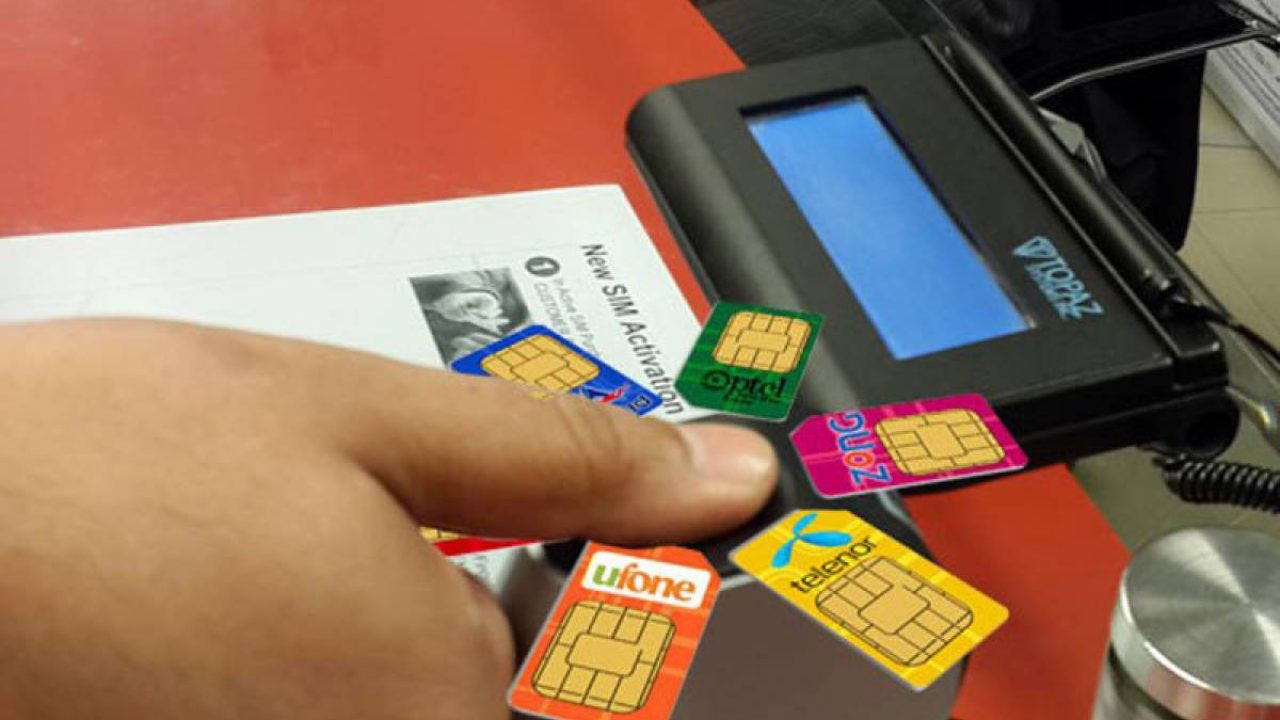
Is your SIM biometrically verified? If not, PTA will block it — permanently — regardless of how long you’ve had the number, how much balance you have, or how many years you’ve been a customer. No exceptions.
PTA mandates Multi-Finger Biometric Verification System (MBVS) for every SIM card in Pakistan. SIMs without proper biometric verification face progressive service restrictions starting at Day 30 and permanent blocking at Day 120.
SimOwnerDetailss.org.pk provides the most complete free guide to checking, understanding, and completing biometric verification — protecting your SIM from unnecessary blocking.
What Is Biometric SIM Verification (BVS)?
Biometric verification is the process of confirming your identity through fingerprint matching when registering a SIM card. PTA requires this for:
- New SIM activations
- Duplicate SIM issuance (replacement)
- SIM ownership transfers
- Mobile Number Portability (MNP)
- SIM re-registration after blocking
During verification, a franchise terminal captures your fingerprints using optical scanners with live finger detection. Your fingerprint data is transmitted via encrypted connection to NADRA servers, where it’s matched against your CNIC records in 3 to 10 seconds.
Check Your BVS Status Right Now — Free
Use these codes to check if your SIM is biometrically verified:
| Your Network | What to Send | Send To | Response Time |
|---|---|---|---|
| Jazz | Your 13-digit CNIC | 6001 | Instant |
| Telenor | Your 13-digit CNIC | 7751 | Instant |
| Zong | Letter V | 7911 | Instant |
| Ufone | Letter V | 7911 | Instant |
| Any network | MNP | 667 | 5-10 seconds |
How to Read Results:
“Biometrically Verified” ✅ — Your SIM is compliant. No action needed.
“Not Verified” or “Verification Pending” ❌ — Your SIM needs verification. Visit franchise with original CNIC immediately.
“Verification Failed” ❌ — Previous verification attempt failed. Visit franchise for re-verification.
For complete instructions on all verification codes and methods, visit our SIM owner details guide at simownerdetailss.org.pk.
What Happens If Your SIM Is NOT Verified
PTA enforces a strict timeline for unverified SIMs:
| Period | Consequence | Your Experience |
|---|---|---|
| Days 1-30 | Warning messages sent | You receive SMS warnings |
| Days 31-60 | Outgoing services restricted | Can’t make calls or send SMS |
| Day 90+ | Full service suspension | Can’t receive calls either |
| Day 120+ | Permanent blocking | Number lost forever |
This timeline is non-negotiable. PTA does not make exceptions based on customer tenure, balance amount, or package subscriptions. An unverified SIM WILL be blocked.
How to Complete Biometric Verification
Step 1: Find Nearest Franchise
- Jazz: jazz.com.pk/franchise-locator
- Telenor: SMS to 7750
- Zong: zong.com.pk/stores
- Ufone: ufone.com/customer-centers
Step 2: Bring Required Documents
- Original CNIC (valid, not expired)
- The SIM card needing verification (in your phone)
- Nothing else required
Step 3: At the Franchise
- Inform the agent you need biometric re-verification
- Present your CNIC
- Place your thumb on the biometric scanner
- Wait for NADRA verification (3-10 seconds)
- Receive confirmation SMS
- Process is FREE — no charges
Step 4: Verify After Completion
Send V to 7911 or CNIC to 6001/7751 to confirm status changed to “Verified.” If status still shows unverified after 24 hours, return to franchise.
Common BVS Problems and Solutions
Problem: Fingerprint Doesn’t Match
Causes: Worn fingerprints from manual labor, cuts, burns, extremely dry skin, dirty scanner.
Solutions:
- Try different fingers (agent should try at least 4-6 fingers)
- Clean your hands and the scanner surface
- Apply mild moisturizer if skin is very dry
- If all fingers fail, visit NADRA to update your biometric records
Problem: CNIC Expired
Solution: Renew CNIC through NADRA first. You cannot complete biometric verification with an expired CNIC. See our CNIC information guide for the complete renewal process.
Problem: Verification Shows Complete But BVS Check Says Not Verified
Possible causes: System sync delay, franchise agent error, incomplete processing.
Solution: Wait 24 hours and check again. If still unverified, visit a different franchise for re-verification. If persistent, file PTA complaint at 0800-55055.
Why SimOwnerDetailss.org.pk Is Your Best BVS Resource
Most Pakistanis don’t know these BVS check codes exist. Other websites either don’t mention BVS at all or charge money for basic verification guidance.
SimOwnerDetailss.org.pk provides:
- All BVS check codes for every network — free
- Step-by-step verification process — free
- Troubleshooting for every common problem — free
- Complete franchise locator information — free
- Integration with our SIM owner details verification tools — free
Your SIM’s biometric status directly affects your ability to make calls, send messages, and use mobile data. Don’t risk losing your number to PTA blocking. Check your BVS status now using the codes above, and visit our SIM owner details page for complete SIM protection guidance.
 SIM OWNER DETAILS